Case study · 01
Designingfordatawecouldn’tcontrol
How reframing a CSV problem cut campaign-related support tickets by 78%.
Role
Lead Product Designer
Product
Callpicker · Virtual PBX SaaS
Surface
Web admin
Year
2024
Contextandthebusinesscost
Callpicker is a virtual PBX platform used by contact centers and collection agencies across LATAM and the US. Campaign creation, scheduling high volumes of outbound calls, is not a side task for these teams. It is a main operation.
It arrived as a recurring support ticket: users could not create their campaigns. And when creation failed, the cost did not land on the user, support had to build campaigns for customers. A self-service product was quietly turning into a manual service task, spending support hours on work that was never theirs to do.
MyroleandhowIframedtheproblem
The complaint from the support team was “Users can’t create campaigns”, but this is a symptom, not a definition. So I started by sitting with the support team lead to separate the symptom from its cause, to understand the real workflow, the failure points, and what users were actually trying to do.
The most frequent failure was not an interface problem. It was a data problem, and it was invisible until you looked closely.

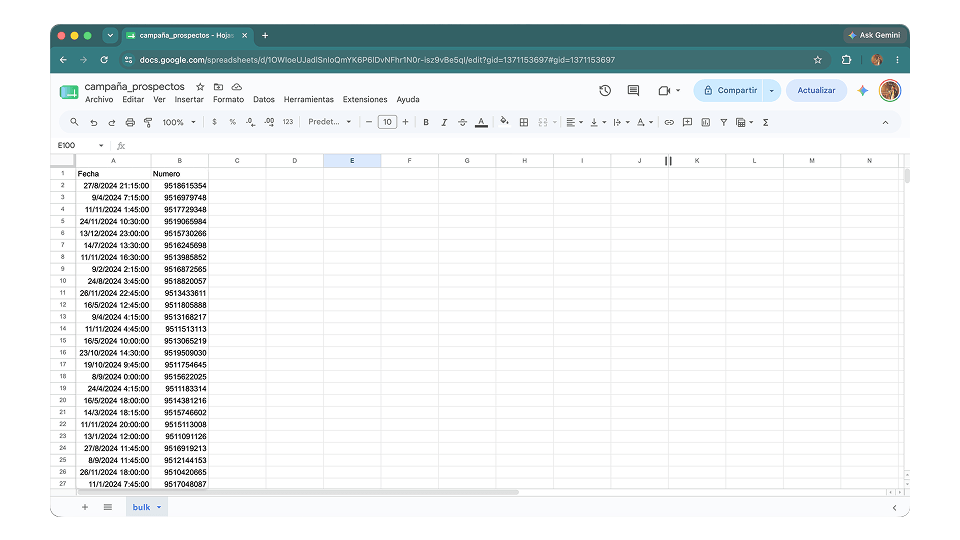
Dates were being reformatted automatically by the user’s own environment. Depending on each machine’s configuration, and on whether the user worked in Excel or Google Sheets, the software rewrote date formats on its own, regardless of what the user had set beforehand. The system then rejected files that were, from the user’s point of view, completely correct.
That reframed the whole problem. This was not a confusing flow to polish. It was the way softwares rewrote automatically date formats.
Discovery
The research in my design process.
- Interviews with support, who understood why creation failed and what they did to fix it.
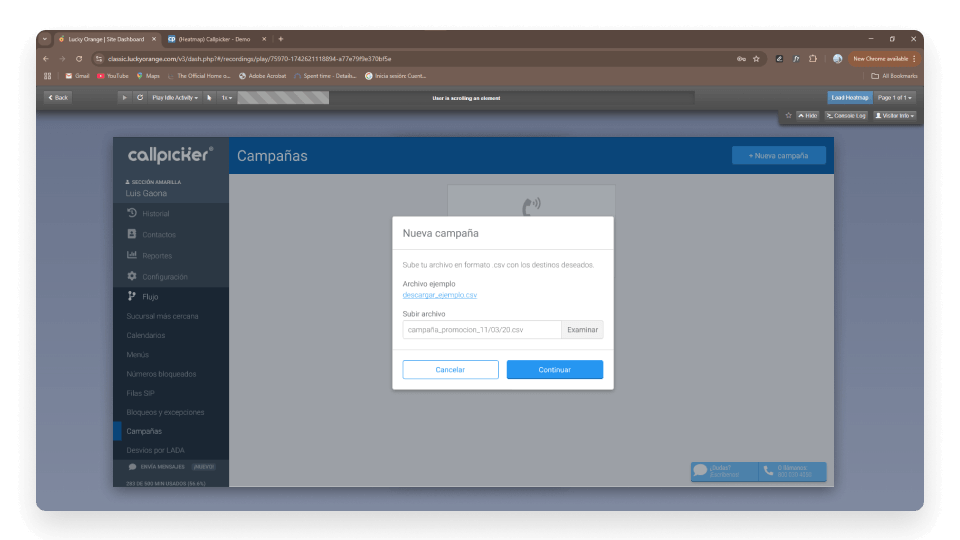
- Live monitoring and session recordings in LuckyOrange, watching real users hit the failure points instead of relying on reported descriptions.
- Competitive benchmarking of bulk contact import across mature platforms.
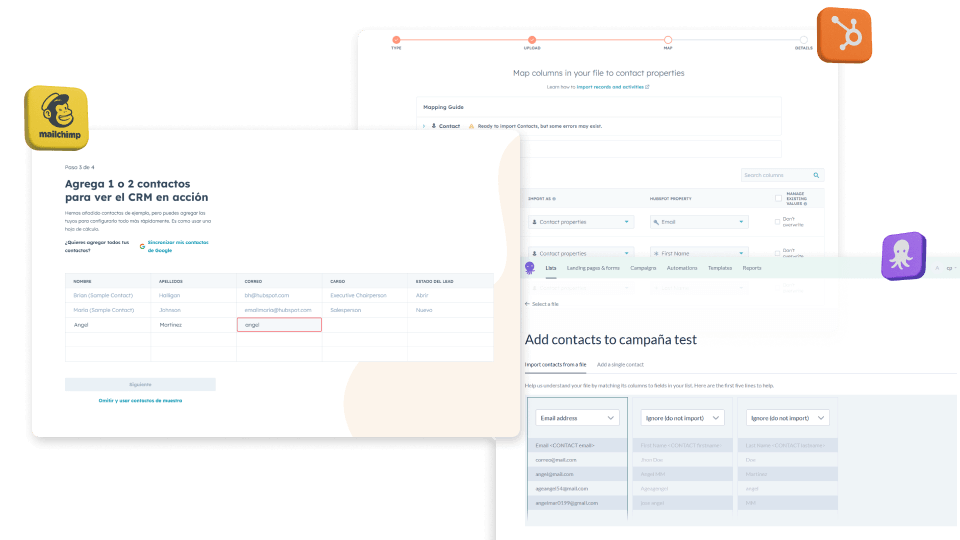
Insights from Benchmark. The tools that reduced friction best gave users immediate, in-context feedback on their data, rather than validating after the fact and rejecting the whole file.
That principle, immediate feedback where the user can still act, became the backbone of the redesign.
Designdecisions
Three decisions. Each one shows the choice, alternatives, and the tradeoff I accepted.
Don’t try to fix the parser
- Obvious alternative
- Accept more date formats: auto-detect date formats, normalize columns, accept more variants.
- Why I rejected it
- It wasn’t possible from a backend perspective to accept more and the error lived in the configuration of the customer’s machine, which we could neither predict nor control. We could have as many formats as exist.
- Tradeoff accepted
- In-context validation by front-end instead of a perfect parser and back-end validation.
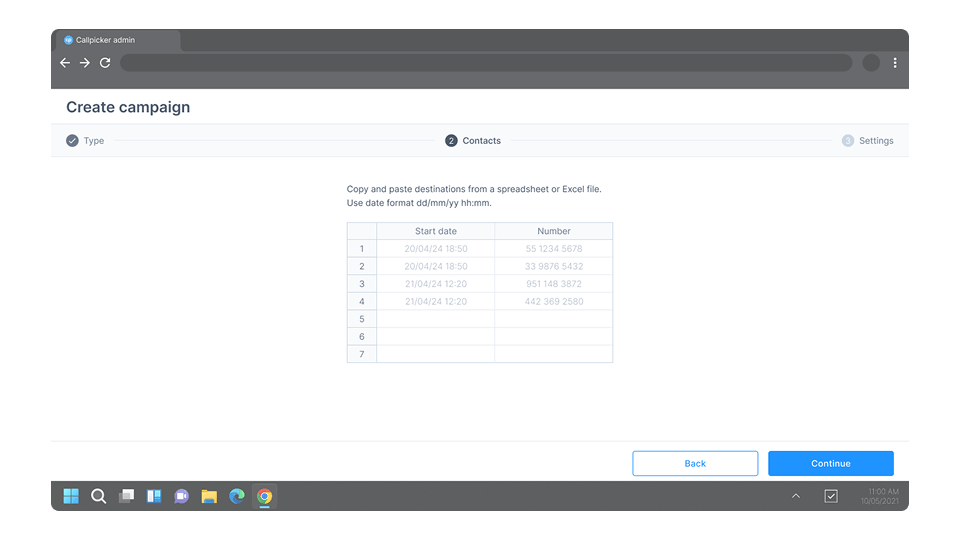
Chasing a perfect parser meant solving the wrong problem. The set of possible incoming formats was effectively open-ended. Instead, I moved validation to where the user can actually act: a spreadsheet component with real-time, per-cell feedback that validates up to 10,000 numbers and dates in under three seconds. The error stops being an opaque post-upload rejection and becomes visible and correctable in context.
Let users advance with invalid data
- Obvious alternative
- Strict validation that blocks the user until every row is clean.
- Why I rejected it
- In a high-volume context (ex. 10,000 destinations), a restrictive validation makes the process way slower.
- Tradeoff accepted
- Let the users run a campaign with the valid records and return a CSV file with the failed records.
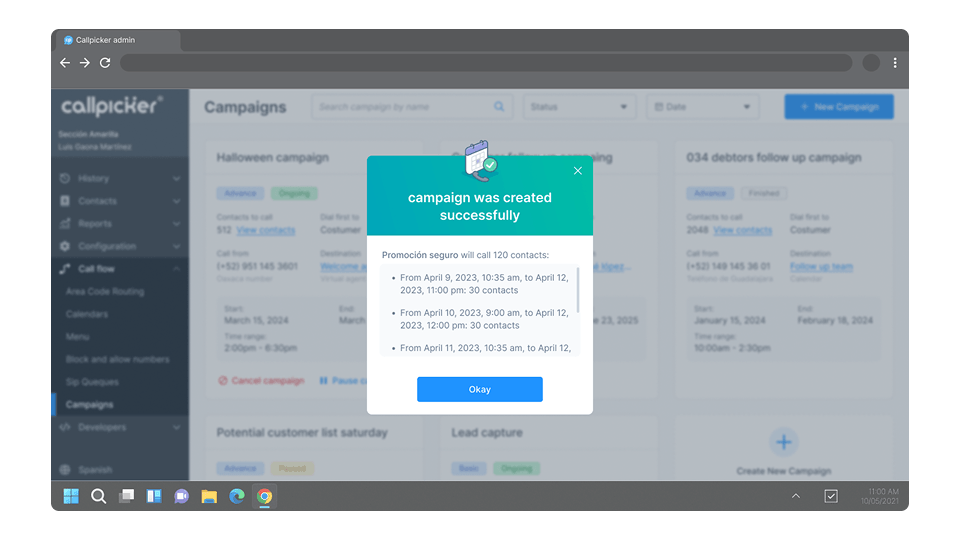
The original flow blocked the user until every formatting error was fixed or removed. For an agent importing thousands of contacts, that could freeze the entire operation over a handful of malformed rows. So I designed the flow as non-blocking: the system processes the valid records, lets the campaign run, and returns a CSV containing only the failed records to fix separately.
A full-screen stepper instead of a modal
- Obvious alternative
- Keep the existing modal.
- Why I rejected it
- A modal competes with everything behind it during a complex, multi-stage task.
- Tradeoff accepted
- More screen commitment in exchange for full focus on one step at a time.
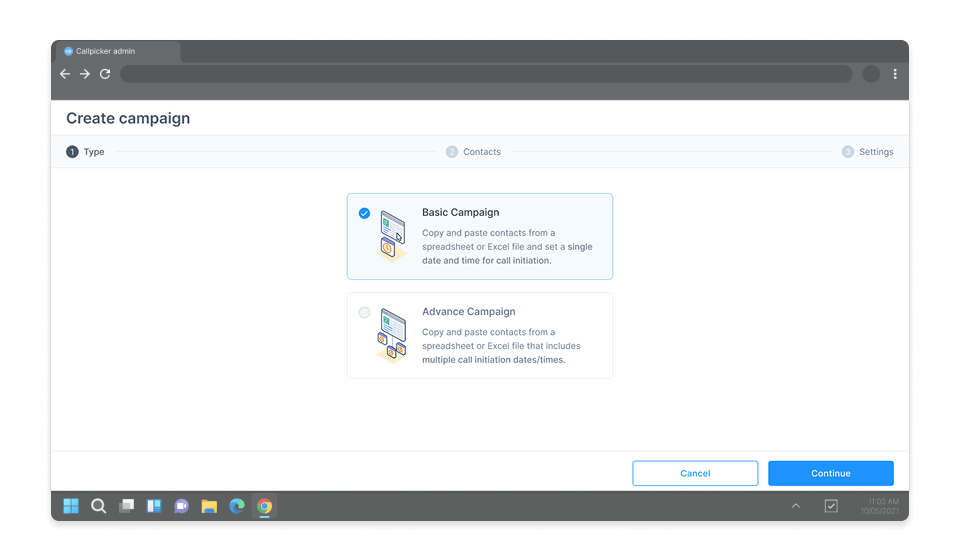
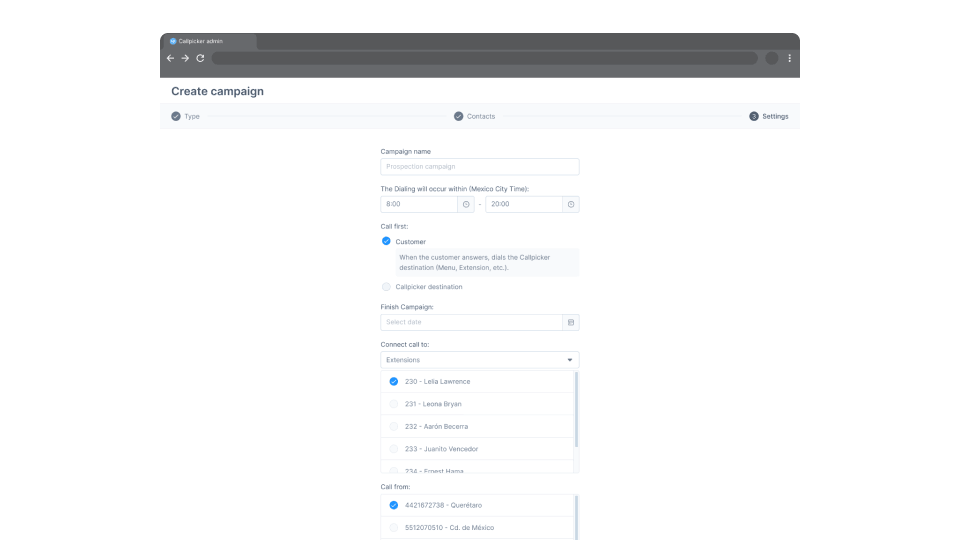
Campaign creation spans choosing a type, adding and validating contacts, and configuring dial settings and destinations. Full screen removes the surrounding noise and focuses attention on one decision at a time, which a task of this weight requires.
Thesolution
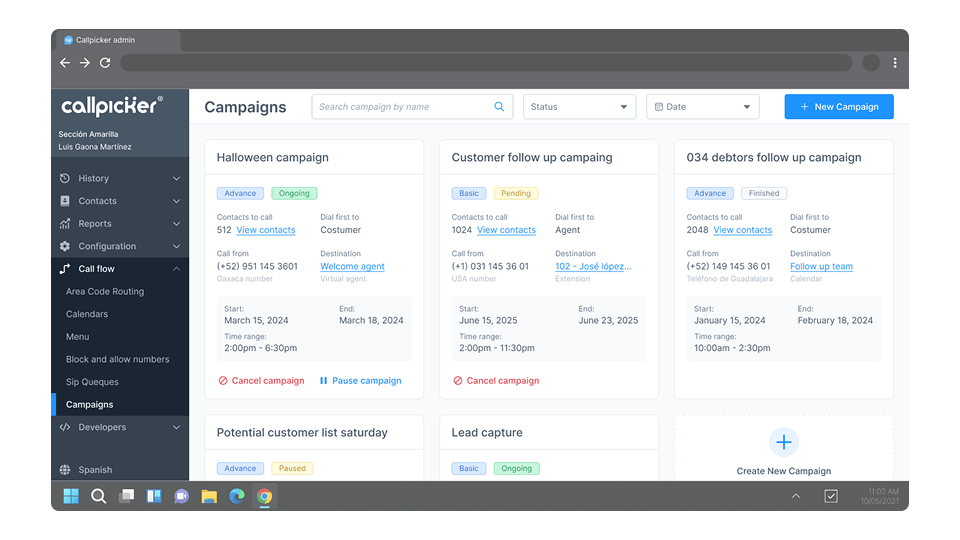
Each screen carries one of the decisions above. The labels explain the process.
Systemcontribution
The spreadsheet validation component was new. It did not exist in the library, so I designed it as a governed, reusable artifact rather than a one-off.
I designed its behavior and interface, then worked through technical feasibility with the developers to land it (validation implemented with Quill). It is documented for reuse across the product:
- Defined interaction states
- Validation rules and real-time feedback behavior
- Error cases and recovery paths
- Accessibility specifications
Every other element drew from Callpicker’s existing Figma component library, which kept the new experience consistent and accelerated handoff.
Results
Measured after launch through support ticket data and LuckyOrange behavioral sessions.
reduction in the campaign-related ticket where the team had to create those on the customer’s behalf.
fewer abandoned campaigns, from a more guided, non-blocking flow.
average campaign creation time comparing the old against the new flow and considering just successful campaigns.
“In B2B SaaS, the hardest problems often live outside your product, and the best fix is a system that tolerates the mess instead of fighting it.”